
Kinetic Scroll
Kinetic Scroll family — one shared gesture core (KineticScrollCore), three components on top.
This hub covers the family; siblings: Scroller · List View · Carousel.
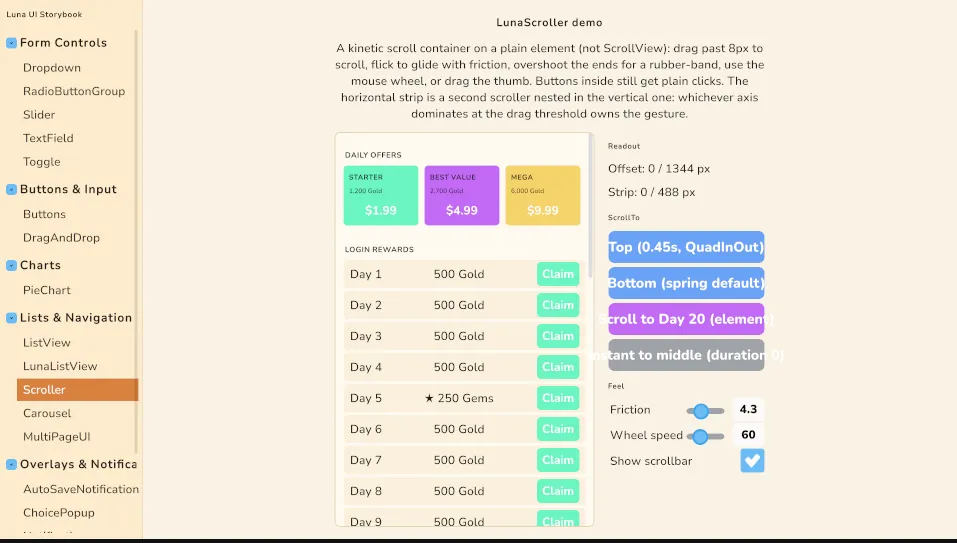
Since 2.1.3 Luna owns its own scrolling. LunaScroller, LunaListView and Carousel are built on a plain container with a single gesture core rather than on Unity's ScrollView, so the whole family shares one feel: press-to-drag past an 8px threshold, flick into a momentum glide, rubber-banded ends with spring-back, one settle tween, and buttons inside the content that keep their plain clicks until a drag claims the pointer. Unity's ScrollView elastic-offset clamp bug (long touch lists jumping near the tail) structurally cannot reach any of them.
Which one
| Component | Shape | Reach for it when |
|---|---|---|
| Scroller | Free-scrolling container, vertical or horizontal, optional styled scrollbar, ScrollTo(offset | element) | Any page or panel that overflows: shop pages, settings, chat, credits. Children are the content; nothing is virtualized. |
| List View | Fixed-height virtualized rows on the scroller, single selection, ScrollToIndex with alignment, keyboard/gamepad row stepping | Long uniform lists: leaderboards, inventories, save slots, notification history. Thousands of rows cost a screenful of elements. GridView renders through it. |
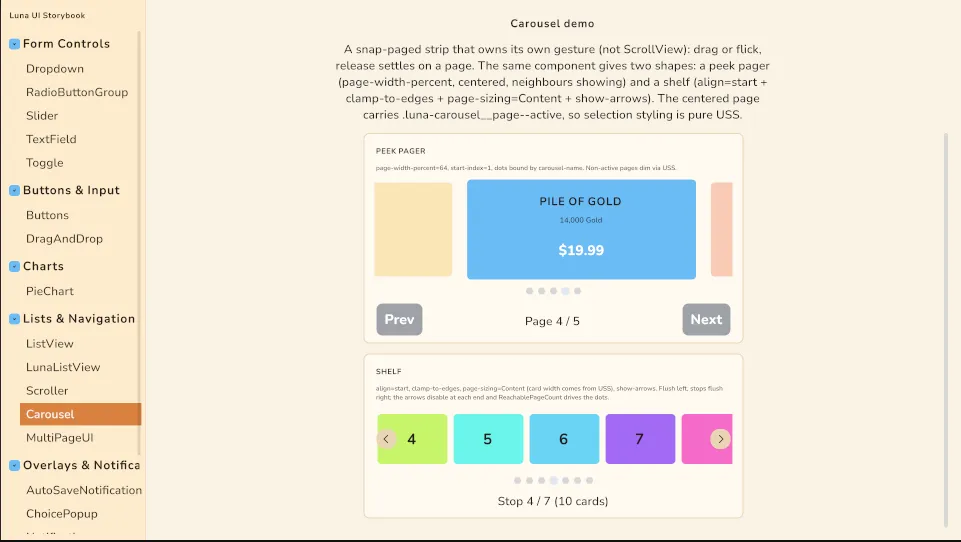
| Carousel | Horizontally paged strip that snaps to a page on release; peek pager or shelf; dots and arrows | Offer strips, onboarding pagers, reward rows, item shelves — anything where "which page" is the state. |
What the core gives every member
- Threshold + hand-off. A press only becomes a drag after 8px of travel; until then a child button receives a normal click. Past it the component captures the pointer and the child press cancels. A drag never selects, never clicks.
- Axis lock. Whichever axis dominates at the drag threshold owns the gesture, and a lost gesture stays lost for that pointer. This is what lets a horizontal Carousel (or a horizontal Scroller) sit inside a vertical Scroller: a sideways flick pages the strip, a downward flick scrolls the page, and neither steals from the other mid-gesture. The Showcase shop and the Storybook Scroller entry are this composition.
- Momentum + rubber band. Release speed becomes a glide with per-second friction; overshooting an end meets resistance and springs back. Carousel trades the glide for a snap: velocity above
flick-thresholdadvances one page. - One settle tween.
ScrollTo,ScrollToIndex,SnapTo, track clicks and spring-back all ride the same(duration, easing)tween, so motion reads consistent across a screen. Duration0is instant. - Focus follows. Scroller and List View scroll a newly focused descendant into view on keyboard/gamepad focus change (pointer-originated focus is ignored so a tap on a half-visible control does not teleport the content).
Theme sheets
The structural styles live in two library sheets on the main theme, LibScroller.uss (Scroller + List View) and LibCarousel.uss. They carry the load-bearing bits — flex-shrink: 0 on the moving content and on carousel pages, the horizontal content self-sizing, scrollbar and dot geometry — and expose the retheme variables:
--luna-scroller-thumb / --luna-scroller-thumb-hover     /* scrollbar */
--luna-listview-selected                                 /* selected row */
--luna-carousel-dot / --luna-carousel-dot-active         /* indicator dots */
--luna-carousel-arrow-*                                  /* built-in prev/next arrows */
Upgrading to 2.1.3? If your project imports the theme (directly or through the Essentials sample copy), force-reimport your theme chain once. Unity does not rebuild derived ThemeStyleSheets on its own, and without the new sheets scroller content shrinks to min-content and nothing scrolls, while carousel pages lose their
flex-shrink: 0and the strip collapses.
Where to see them
-
Storybook (
LunaStorybook.unity) → Lists & Navigation: Scroller, LunaListView, Carousel — the compact, knob-driven views of each.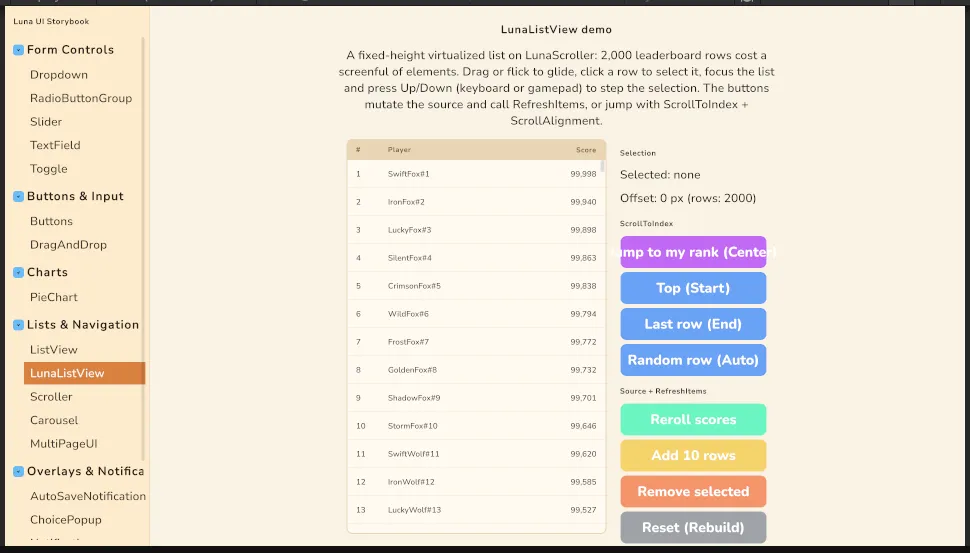
-
Components:
Scroller/ScrollerShowcase.unity(shop page with a Carousel strip inside) andCarousel/CarouselShowcase.unity(IAP offer strip);GridView/GridViewListView/renders a grid through the list. -
Showcase (
LunaShowcase.unity): every tab and detail view scrolls onLunaScroller; the leaderboard, notification history and hero grid rideLunaListView; the shop shelves are shelf-mode Carousels with arrows.
Unity's own ListView / ScrollView remain themeable and are the right pick when you deliberately want the editor-style controls (dropdown popups keep native scrollers, for instance): List & ScrollView.
Settings
Theme
Light
Contrast
Material
Dark
Dim
Material Dark
System
Sidebar(Light & Contrast only)
Font Family
DM Sans
Wix
Inclusive Sans
AR One Sans
Direction