
Input Prompt
InputPrompt is a Button subclass that displays the right keyboard or gamepad icon for an input action and re-renders automatically when the active control scheme changes. It also supports a hold-to-confirm radial progress overlay for actions with HoldInteraction.
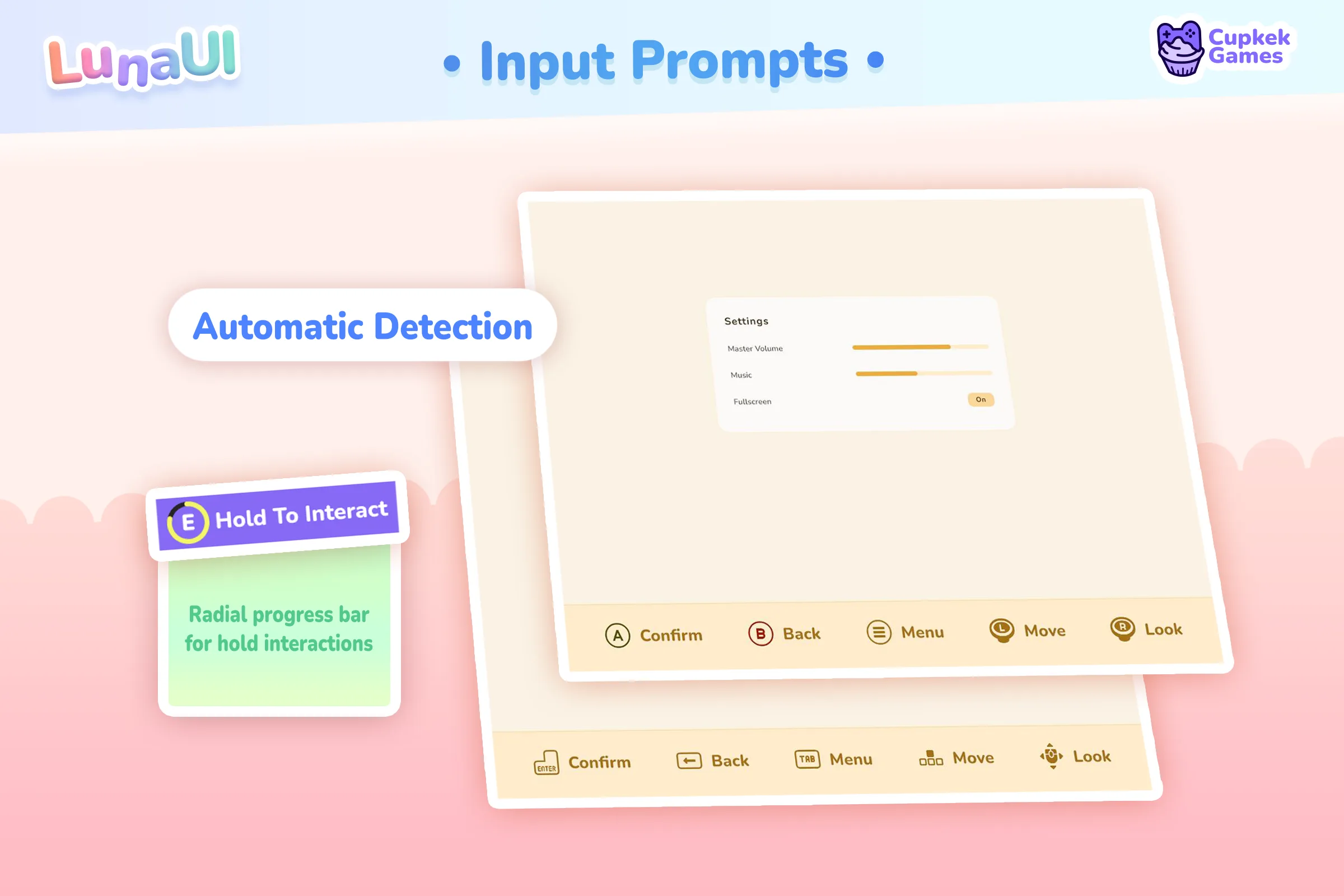
Setup
UXML — declare the element under Luna's namespace and bind it to an input action:
<ui:UXML xmlns:ui="UnityEngine.UIElements" xmlns:luna="CupkekGames.Luna">
    <luna:InputPrompt input-action-name="UI/Submit" label-text="Confirm" />
</ui:UXML>
Runtime requirements:
- Active
PlayerInputregistered with InputDeviceManager. - A
LunaUIManagerin the scene with a populatedInputIconDatabase(icon-per-control-scheme lookup).
The prompt subscribes to InputDeviceManager.OnControlSchemeChange, OnPlayerAdded, OnPlayerRemoved on attach and unsubscribes on detach.
Inspector (UxmlAttributes)
| Attribute | Type | Description |
|---|---|---|
InputActionName | string | Action map / action path (default "UI/Submit"). |
PreferredDevice | string | Input device layout name (Mouse, Keyboard, Gamepad). The prompt shows the first binding of the current control scheme on that device, and falls back to the scheme's first binding when the action has none there. Empty: the scheme's first binding, as before. |
OverrideIconSprite | Sprite | Forces a specific icon, bypassing InputIconDatabase. |
OverrideIconText | string | Forces a specific label text on the icon. |
Slice | bool | Adds the slice USS class so the icon background renders 9-sliced. |
LabelText | string | Optional text label rendered next to the icon. |
ButtonIf | List<InputIconControlScheme> | Schemes for which the prompt is interactable (default: KeyboardMouse only). On gamepad it's auto-disabled so D-pad navigation skips it. |
HideIf | List<InputIconControlScheme> | Schemes for which the prompt is hidden entirely. |
Hide | bool | Force-hides the prompt regardless of scheme. |
PlayerIndex | int | Which player this prompt represents (multiplayer). |
HideIfPlayerIndexMissing | bool | If the indexed player has no PlayerInput, hide the prompt (default true). |
Which binding shows
An action usually has several bindings. The prompt shows one: the first binding whose control scheme groups include the player's current scheme (InputAction.GetBindingIndex(group: currentControlScheme)). Two consequences:
- A binding with no groups is never shown, even if it fires the action. Give alternatives the group of the scheme they belong to (a
<Mouse>/rightButtoncancel getsKeyboard&Mouse). - Order matters. With
*/{Cancel}listed before the mouse button, every prompt of that action shows Esc.
preferred-device chooses per prompt instead of per asset: an aim strip whose Throw is a mouse click can show the mouse for Cancel too, while a menu's Cancel prompt keeps Esc. Requires com.cupkekgames.input 0.3.2.
<luna:InputPrompt input-action-name="UI/Cancel" preferred-device="Mouse" label-text="Cancel" />InputIconControlScheme
public enum InputIconControlScheme
{
    KeyboardMouse,
    Xbox,
    PlayStation4,
    PlayStation5
}
CSS classes
| Class | Applied when |
|---|---|
InputPrompt | Always (root). Inherits btn btn-solid. |
has-icon | An icon sprite is set (override or from database). |
circle | Non-keyboard scheme without an explicit Square flag. |
hold | The bound action has a HoldInteraction and tracking is active. |
hold-complete-anim | Toggled briefly to drive the hold-complete pop animation. |
InputPrompt__icon_container / __icon_sprite / __icon_slice / __icon_label / __label / __hold | Internal sub-elements. |
API
Properties
| Property | Type | Description |
|---|---|---|
Action | InputAction | The resolved input action (after attach). UNITY_INPUT only. |
BindingIndex | int | Active binding index used to pick the icon. |
Methods
| Method | Description |
|---|---|
OnAttach() / OnDetach() | Wire/unwire InputDeviceManager callbacks. Called automatically. |
AddHold() | Lazily attach the radial hold indicator. |
HoldOnEnable() / HoldOnDisable() | Subscribe/unsubscribe to the action's started/performed/canceled events that drive the hold animation. |
StartHoldAnimation(float duration) | Manually trigger the radial fill (uses InputSystem.settings.defaultHoldTime if duration <= 0). |
StoptHoldAnimation() | Pause the radial-fill scheduler. |
Events
public event Action OnUpdate;Fires after each UpdateBindingDisplay pass — useful for re-laying-out adjacent UI when icons resize.
Integration
InputDeviceManager
InputDeviceManager detects scheme changes and tracks per-player PlayerInputs. InputPrompt subscribes on attach so the icon, label, and visibility update without any glue code.
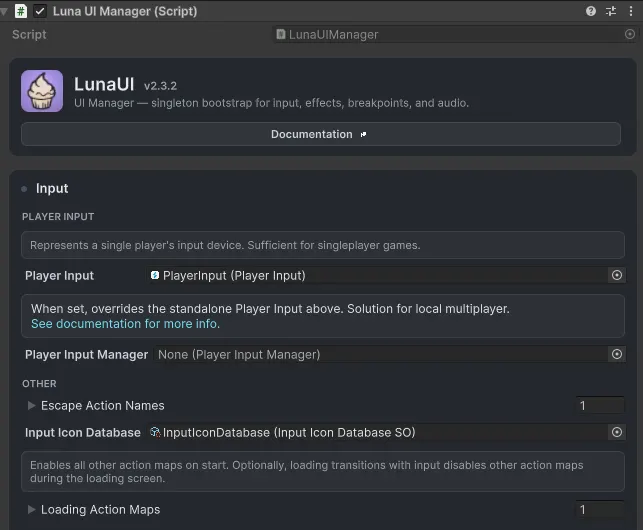
LunaUIManager + InputIconDatabase
LunaUIManager exposes IconDatabase (an InputIconDatabaseSO). When InputPrompt updates, it queries the database via GetInputPromptFromName(playerInput, InputActionName) to resolve the right sprite + glyph text for the active scheme.
Default icon set: kenney.nl input prompts.

See also
- InputDeviceManager
- LunaUIManager
- Button — base class
Settings
Theme
Light
Contrast
Material
Dark
Dim
Material Dark
System
Sidebar(Light & Contrast only)
Font Family
DM Sans
Wix
Inclusive Sans
AR One Sans
Direction