
CooldownWipe
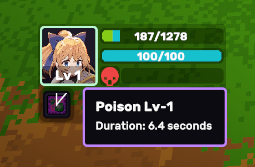
CooldownWipe is a VisualElement that paints a clockwise (or counter-clockwise) pie-slice mask over a square — useful for skill cooldowns, status-effect timers, and buff durations rendered on top of an icon.
Setup
⚠️ Give it an explicit size. The element paints its own wedge, so without dimensions there is nothing to draw into — give it
width/heightor absolutely fill its parent (e.g. positioned over a skill icon):
<ui:UXML xmlns:ui="UnityEngine.UIElements" xmlns:luna="CupkekGames.Luna">
    <luna:CooldownWipe name="skill-cooldown" progress="0.4" segment-amount="20"
                       fill-color="#000000C8"
                       style="width: 64px; height: 64px;" />
</ui:UXML>
Run a cooldown — StartCooldown
For a standard timed cooldown, call StartCooldown(seconds): the wipe fills to 1 and self-animates down to ready over the duration, ticking on Luna's global LunaTicker — no per-frame Update() of your own.
// Inside your PanelRenderer reload callback (PanelRenderer delivers the
// visual tree asynchronously — don't query in Awake/Start):
var wipe = root.Q<CooldownWipe>("skill-cooldown");

// On ability use:
if (wipe.IsReady)
wipe.StartCooldown(3f); // 3-second cooldown: fills, then wipes awaypublic void StartCooldown(float seconds, bool unscaledTime = false);
public void CancelCooldown();
public bool IsCoolingDown { get; }- Uses scaled time by default (respects
Time.timeScale, so pausing the game pauses the cooldown). PassunscaledTime: truefor menu/real-time cooldowns. - Fires the existing
OnCoolingStarted/OnReadyevents at the ends (see below) and plays the ready-flash transition. CancelCooldown()stops the cooldown, leaving the currentProgress.- Off-panel it pauses, not cancels: detaching stops the tick, reattaching resumes from where it left off, and
IsCoolingDownstaystruethroughout. Time spent detached does not count down. StartCooldownis a cosmetic timer — it's the view counting down, not your game state. If the cooldown is gameplay-authoritative (must survive saves, match a server, or stay exact under frame hitches), keep the timer in your game logic and driveProgressyourself; the ticker clamps long frame deltas, so its clock can drift slightly behind wall time.
Driving Progress yourself
For non-standard cases — a cooldown tied to external state, resource meters, partial refunds — set Progress directly (this is what StartCooldown does under the hood):
wipe.Progress = remainingTime / totalCooldown; // 1 = full cover, 0 = readyProgress is auto-clamped to [0, 1]. At 1 the entire square is filled; at 0 nothing is drawn.
Inspector (UxmlAttributes)
| Attribute | Type | Description |
|---|---|---|
Progress | float | 0–1 fill amount (auto-clamped). |
FillColor | Color | Wipe fill color (default opaque black). |
SegmentAmount | int | Polygon segments at full progress; higher = smoother arc (default 20). |
ReverseWinding | bool | Reverses the sweep direction. |
LineWidth | float | Outline stroke width in pixels (default 0, disabled). |
LineColor | Color | Outline stroke color (default opaque black). |
ready-value | float | Progress value that means "ability ready" (default 0 = fully uncovered). |
ready-flash-transition (-target) | asset / selector | Transition Sequence played once when Progress reaches ready-value. |
cooling-pulse-transition (-target) | asset / selector | Loop asset that runs while NOT ready, stopped on ready. |
Ready events + juice
CooldownWipe latches a ready state around ready-value:
OnReady— fires once whenProgressreachesready-value(epsilon-latched: driving the setter every frame does not re-fire it). Plays theready-flash-transition.OnCoolingStarted— fires once when leaving the ready state. Starts thecooling-pulse-transitionloop.IsReady— current latch state.
The classic ability-ready flash, zero code:
<ui:VisualElement class="cd-frame" style="width: 64px; height: 64px;">
    <luna:CooldownWipe name="skill-cooldown" ready-value="0" fill-color="#000000B4"
        ready-flash-transition="Presets/Punch.asset" ready-flash-transition-target="closest: .cd-frame"
        cooling-pulse-transition="Presets/Pulse.asset"
        style="position: absolute; left: 0; top: 0; right: 0; bottom: 0;" />
</ui:VisualElement>
The wipe is usually a shade stacked over an icon, so the flash almost always wants closest: to hit the icon frame rather than the shade itself; the cooling pulse reads well on the shade directly. Asset paths in UXML must be relative to the .uxml file.
Programmatic access via TransitionDriver (a TransitionSlotDriver with ReadyFlashSlot / CoolingPulseSlot).
See also
- Radial ProgressBar — alternative for showing progress as a circular bar
- Circle Hole — inverse mask (cuts a circular hole in a rectangle)
Settings
Theme
Light
Contrast
Material
Dark
Dim
Material Dark
System
Sidebar(Light & Contrast only)
Font Family
DM Sans
Wix
Inclusive Sans
AR One Sans
Direction