
Visual Novel
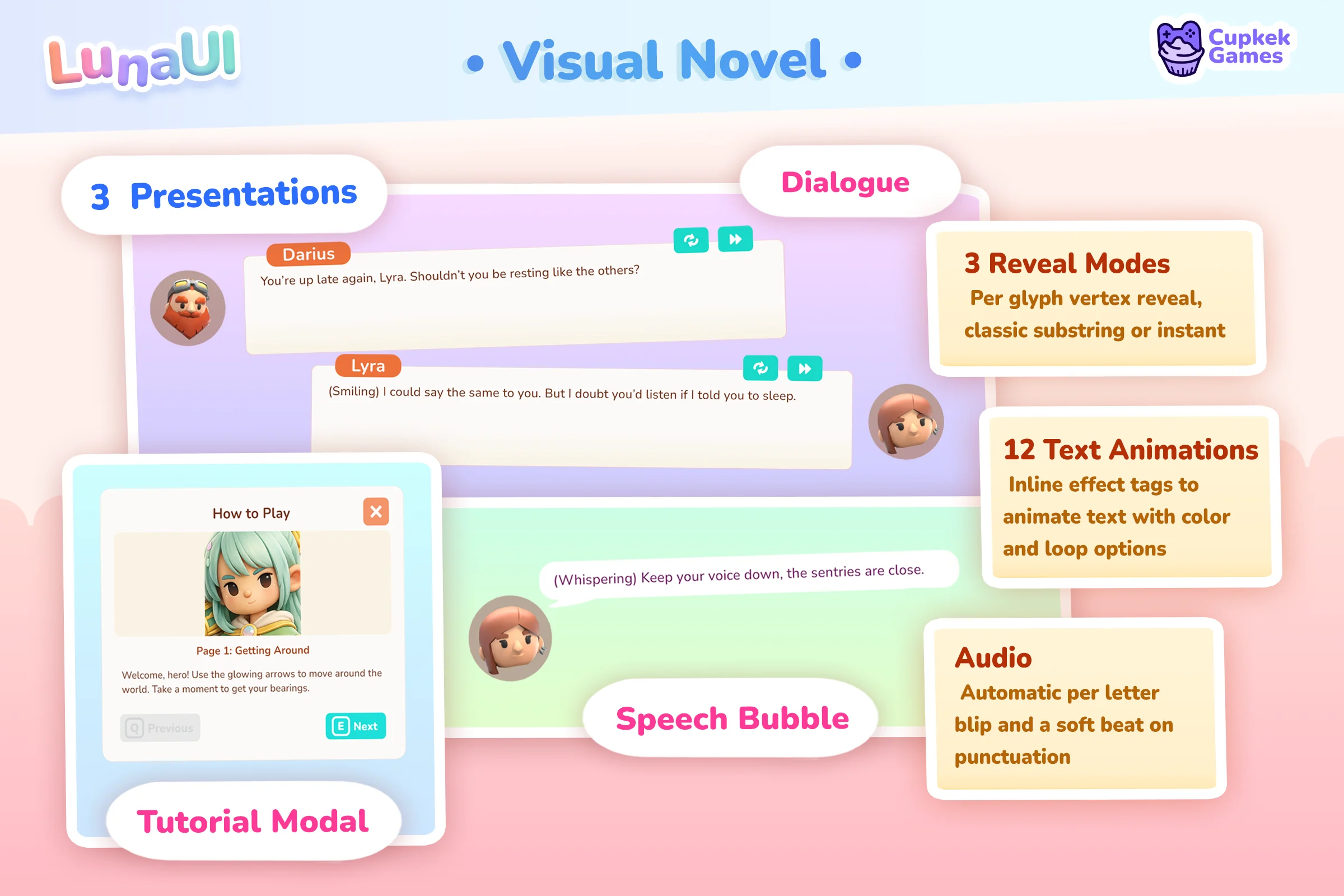
VisualNovelController extends DialogueController into a full visual-novel UI: dual character portraits with breathing animations, a speaker name label, and Continue / Skip / Restart input bindings. Pair with the Ink sample for narrative scripting.
Features
- Character Portraits: Left and right avatar positions with breathing animations
- Character Names: Display speaker name above dialogue
- Text Effects: Full support for Text Effects
- Input Support: Continue, Skip, and Restart buttons with input binding
- Animated Indicators: Pulsing "next" icon using TransitionToggleRepeat
Required UXML structure
Create a UXML with the following named elements:
<ui:UXML xmlns:ui="UnityEngine.UIElements" xmlns:luna="CupkekGames.Luna">
    <!-- Character Avatars -->
    <ui:VisualElement name="AvatarLeftContainer">
        <ui:VisualElement name="AvatarLeft" />
    </ui:VisualElement>
    <ui:VisualElement name="AvatarRightContainer">
        <ui:VisualElement name="AvatarRight" />
    </ui:VisualElement>

    <!-- Dialogue Box -->
    <ui:VisualElement name="DialogueBox">
        <ui:Label name="CharacterName" />
        <ui:Label name="Speech" />
        <luna:InputPrompt name="NextIcon" />
    </ui:VisualElement>

    <!-- Control Buttons -->
    <ui:Button name="ContinueButton" />
    <luna:InputPrompt name="RestartButton" />
    <luna:InputPrompt name="SkipButton" />
</ui:UXML>
USS Animation Classes
Define transition animations for avatars and the next icon:
.vn_avatar_anim {
    scale: 1.02;
    transition: scale 0.5s ease-in-out;
}

.vn_next_icon_anim {
    translate: 0 5px;
    transition: translate 0.3s ease-in-out;
}
Setup
1. Create PanelRenderer
Add a PanelRenderer referencing your visual novel UXML.
2. Add VisualNovelController
Add the VisualNovelController component to the same GameObject.
3. Configure Input Actions (Optional)
The controller reads input action names from the InputPrompt components:
RestartButton.InputActionName→ Restart inputSkipButton.InputActionName→ Skip inputNextIcon.InputActionName→ Continue/Next input
API
Methods
Continue (with name)
Advances dialogue with character name.
public bool Continue(string text, string name, bool skipCurrent)| Parameter | Description |
|---|---|
| text | Dialogue text (supports text effects) |
| name | Character name to display |
| skipCurrent | If true, skips current animation; if false, completes it |
Returns true if new text started playing.
Continue (with avatars)
Advances dialogue with character name and portraits.
public bool Continue(
    string text,
    string name,
    Sprite avatarLeft,
    Sprite avatarRight,
    bool skipCurrent
)| Parameter | Description |
|---|---|
| text | Dialogue text |
| name | Character name |
| avatarLeft | Left character sprite (null to hide) |
| avatarRight | Right character sprite (null to hide) |
| skipCurrent | Skip current animation |
Avatar Control
public void ShowAvatarLeft(Sprite sprite)
public void HideAvatarLeft()
public void ShowAvatarRight(Sprite sprite)
public void HideAvatarRight()
Next Icon Control
public void ShowNext()  // Shows and animates the "next" indicator
public void HideNext()  // Hides and stops the animation
Character Name
public void SetCharacterName(string name)Events
| Event | Description |
|---|---|
| OnContinue | Fired when continue button is pressed |
| OnRestart | Fired when restart button is pressed |
| OnSkip | Fired when skip button is pressed |
Inherited Events (from DialogueController)
| Event | Description |
|---|---|
| OnTextStart | Fired when text animation begins |
| OnTextComplete | Fired when text animation completes |
Example Implementation
using UnityEngine;
using CupkekGames.Luna;
using Ink.Runtime;

public class VisualNovelManager : MonoBehaviour
{
    [SerializeField] private VisualNovelController _vnController;
    [SerializeField] private TextAsset _inkJSON;

    private Story _story;

    private void Start()
    {
        _story = new Story(_inkJSON.text);

        _vnController.OnContinue += ContinueStory;
        _vnController.OnTextComplete += OnDialogueComplete;
        _vnController.OnSkip += SkipToEnd;
        _vnController.OnRestart += RestartStory;

        ContinueStory();
    }

    private void ContinueStory()
    {
        if (!_story.canContinue)
        {
            EndStory();
            return;
        }

        _vnController.HideNext();

        string text = _story.Continue();
        string speaker = GetCurrentSpeaker();
        Sprite leftAvatar = GetLeftAvatar();
        Sprite rightAvatar = GetRightAvatar();

        bool started = _vnController.Continue(
            text,
            speaker,
            leftAvatar,
            rightAvatar,
            skipCurrent: false
        );

        if (!started)
        {
            // Text was already playing, just showed the full text
            // Will call OnTextComplete which shows the next icon
        }
    }

    private void OnDialogueComplete()
    {
        _vnController.ShowNext();
    }

    private void SkipToEnd()
    {
        while (_story.canContinue)
        {
            _story.Continue();
        }
        EndStory();
    }

    private void RestartStory()
    {
        _story.ResetState();
        _vnController.HideAvatarLeft();
        _vnController.HideAvatarRight();
        ContinueStory();
    }

    private void EndStory()
    {
        Debug.Log("Story complete!");
    }

    private string GetCurrentSpeaker() { /* Parse from Ink tags */ return null; }
    private Sprite GetLeftAvatar() { /* Get from character database */ return null; }
    private Sprite GetRightAvatar() { /* Get from character database */ return null; }

    private void OnDestroy()
    {
        _vnController.OnContinue -= ContinueStory;
        _vnController.OnTextComplete -= OnDialogueComplete;
        _vnController.OnSkip -= SkipToEnd;
        _vnController.OnRestart -= RestartStory;
    }
}
Text Effects in Visual Novel
The VisualNovelController inherits text effect support from DialogueController:
// Dialogue with effects
_vnController.Continue(
    "I'm so <shake maxxamplitude=\"3\">angry</shake> right now!",
    "Character Name",
    skipCurrent: false
);

// Rainbow effect for emphasis
_vnController.Continue(
    "This is <rainb durationperchar=\"1.0\">magical</rainb>!",
    "Wizard",
    skipCurrent: false
);
See Text Effects for all available effects.
Animation Timing
Avatar breathing animations start with different delays:
- Left avatar: 1ms delay (immediate)
- Right avatar: 500ms delay
- Next icon: 1ms delay (immediate)
This creates a subtle offset between animations for visual interest.
See also
- DialogueController — base dialogue system
- Speech Bubble — anchored bubble variant
- Tutorial Modal — step-by-step variant
- Text Effects — animated text effects
- TransitionToggleRepeat — animation utility
- InputPrompt — input-aware buttons
- Ink sample — narrative scripting integration
Settings
Theme
Light
Contrast
Material
Dark
Dim
Material Dark
System
Sidebar(Light & Contrast only)
Font Family
DM Sans
Wix
Inclusive Sans
AR One Sans
Direction